Showing posts with label Tips. Show all posts

Saturday, November 15, 2014

Tips: How to get google inbox without any invitation


  1. Change your Google password and you have to get work "INBOX" and make it short/simple as much as you can
  2. Find somebody who you trust and who have INBOX working in his/her's fon
  3. Give him/her your gmail id & password or else you can do it by yourself by borrowing his/her fon for some while & add your google a/c in their android fon
  4. Go through the normal setup process & than switch a/c in INBOX app
  5. Once u get "WELCOME TO INBOX" email from Google you are done
  6. Now login to your fon and you will be successful to do so change google password and sign out of all sections and also tell his/her to remove your a/c or you can do it by your self from their fon
  7. Enjoy the new INBOX 

Friday, May 16, 2014

4 steps to check quickly Your Android Version.


Before installing any application, you have to know what version of Android you have.
Follow this simple steps below to check quickly in your Android settings.

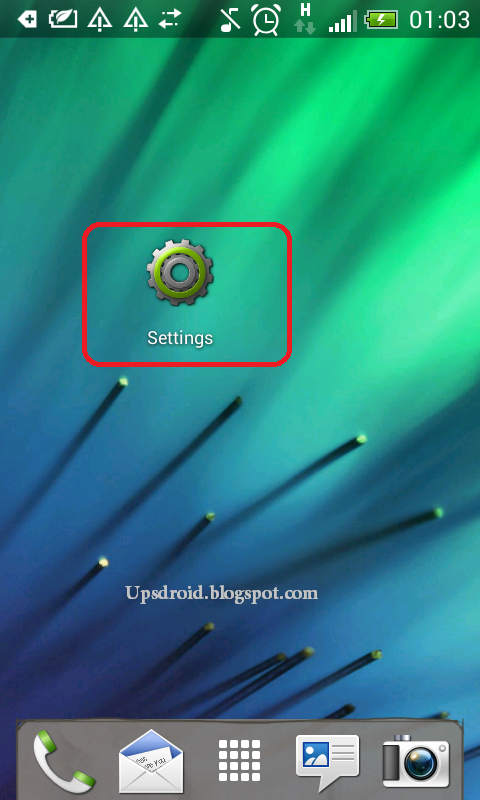
1. From your device menu  Select "Settings"

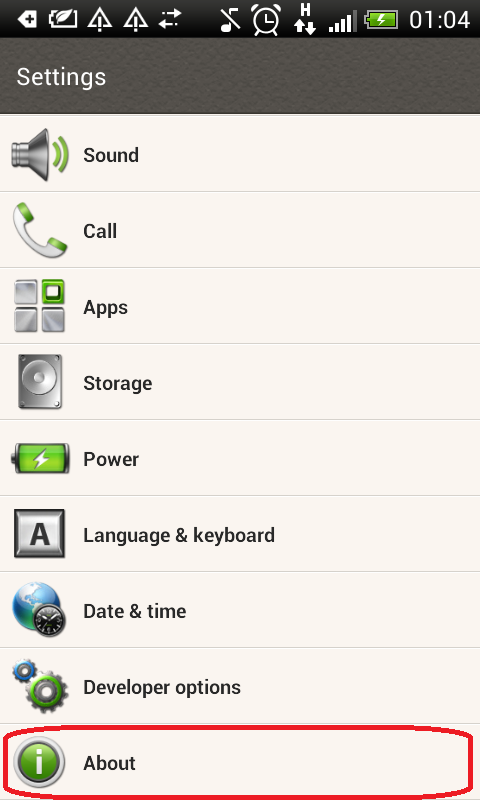
2. On Settings menu scroll down towards About.

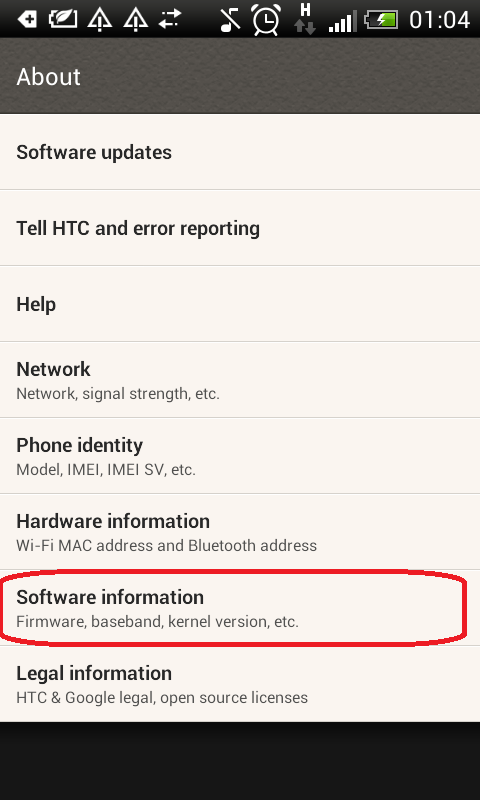
3. Select Software Information


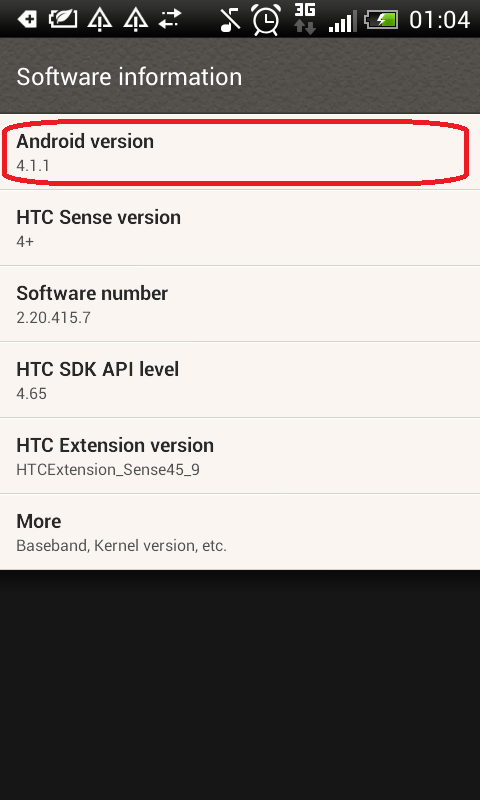
4. Check the number After Android version option. In our case (for example: "4.1.1") this is your Android's version.

When you Download Apps From Google Play you have not to pay attention to the version for each APK. Google Play will show the app that fits your Android version.

Tuesday, May 13, 2014

Tips: How to Download Android Apps From Google Play.


Google made it easy to download apps and multimedia content from Google Play Store or your computer.
You can download Apps from Google Play Store using your device's WiFi or mobile data, so you don' need to connect your smartphone to your computer.
In your first time downloading content from Google Play Store, you may be asked to create a Gmail account and a Google Wallet.
For Paid apps:  You have to use the drop down menu to select your payment method.

Download Apps From Android Devices :

First open the Google Play Store App, then select the appropriate app you want to download, click install, finally click Accept after reviewing the application permissions.

Download Apps From Your Computer :

First go to Google Play, choose an app you want to download, then click install after reviewing the application terms and conditions.
For Paid apps:  You have to use the drop down menu to select your payment method.
Before downloading any apps you need to Check your Android Version.

Shadow Fight 2 Apk V. 1.9.10

  Continuation of the famous Facebook Smash hit with 40 million users Shadow fight 2 is a mixture of nail bitin...